Nezler
 In this article
- Quick picks
- Find your monitor in 20 seconds
- How we chose (and what most guides miss)
- The comparison table
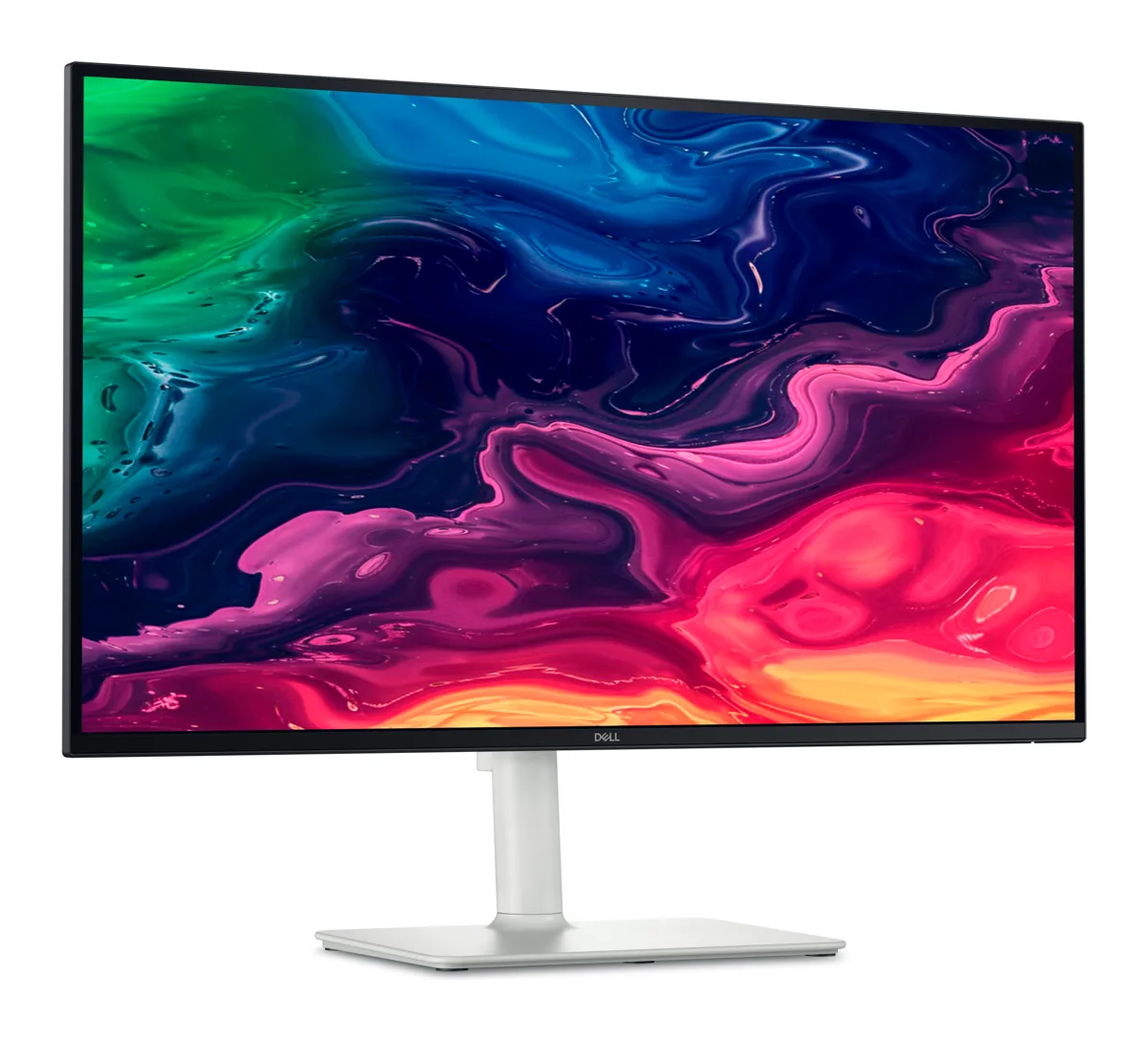
- 1. Dell S2725QC — the best monitor for most Mac users
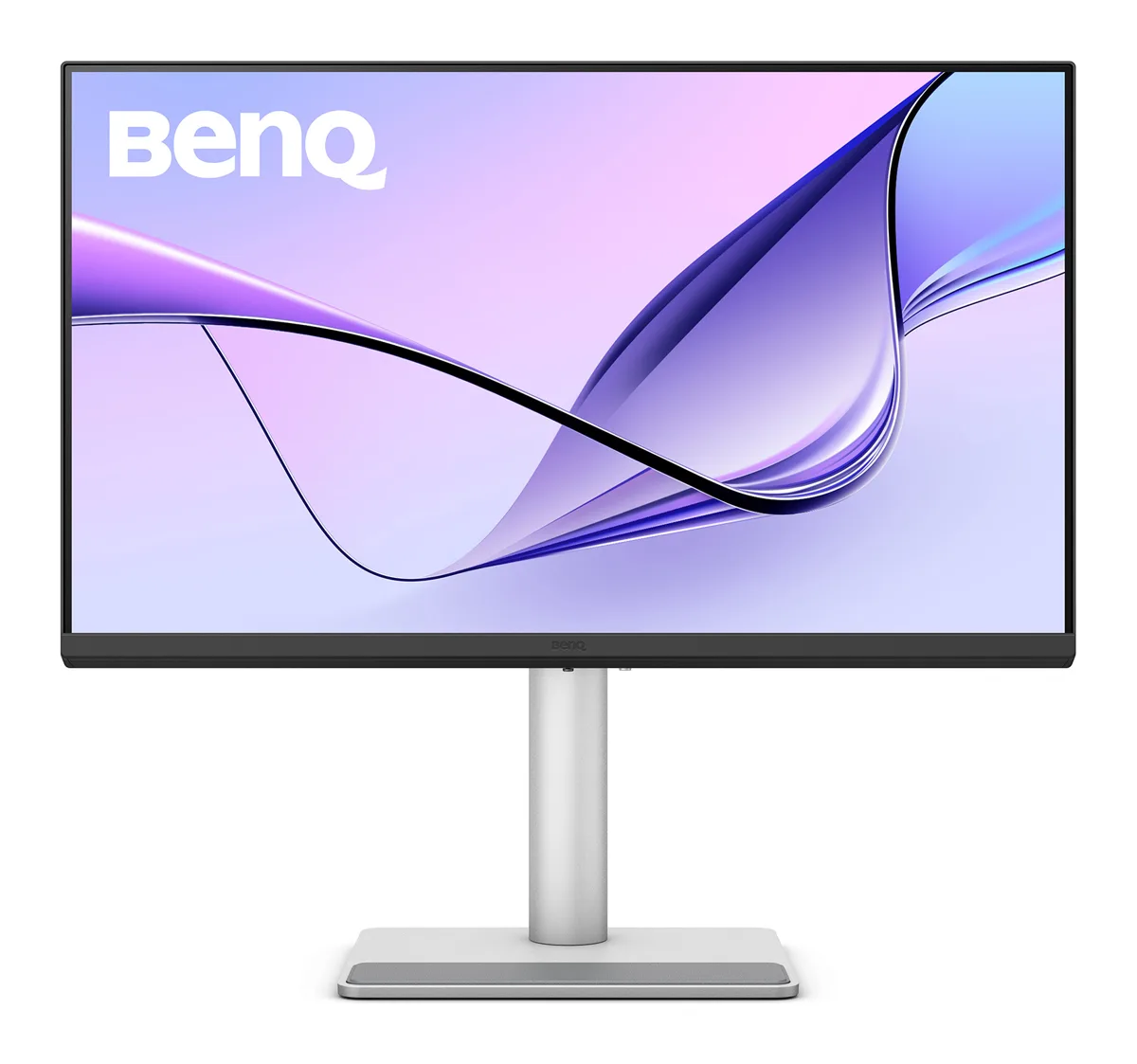
- 2. BenQ MA270U — the most Mac-friendly monitor you can buy here
- 3. BenQ PD2705UA — the designer's monitor with a built-in arm
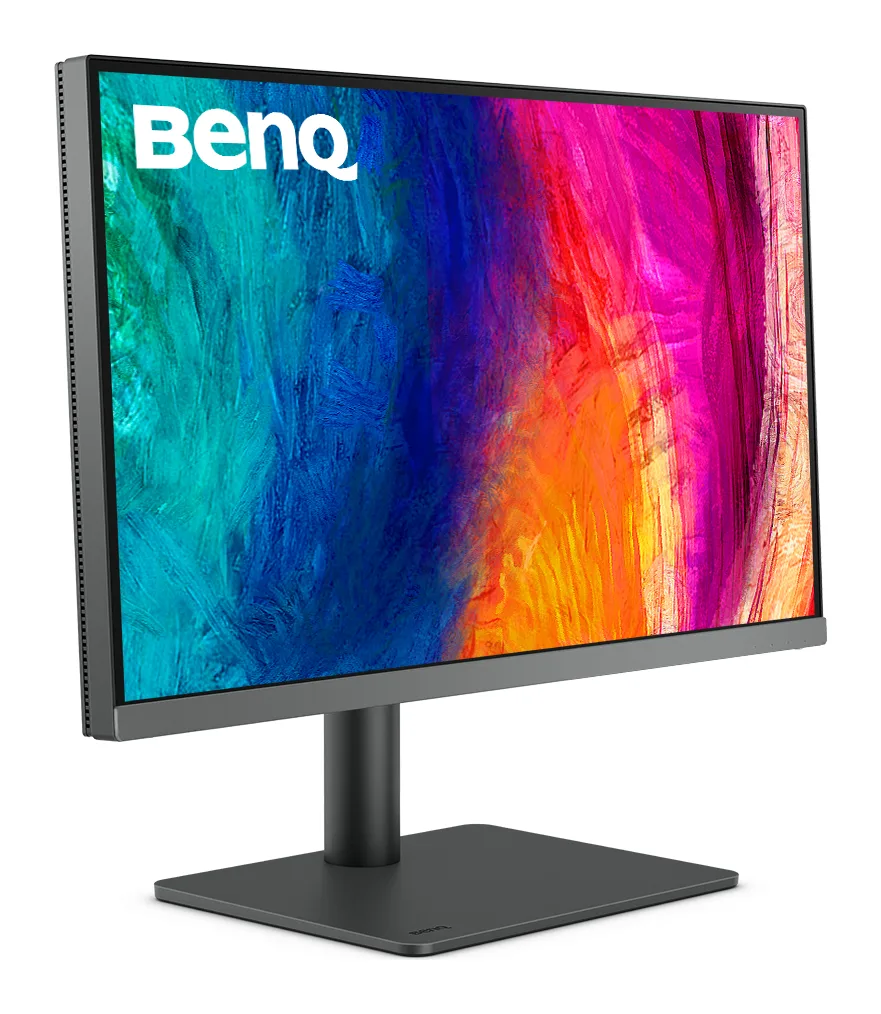
- 4. BenQ PD2706U — the creator pick that's actually in stock
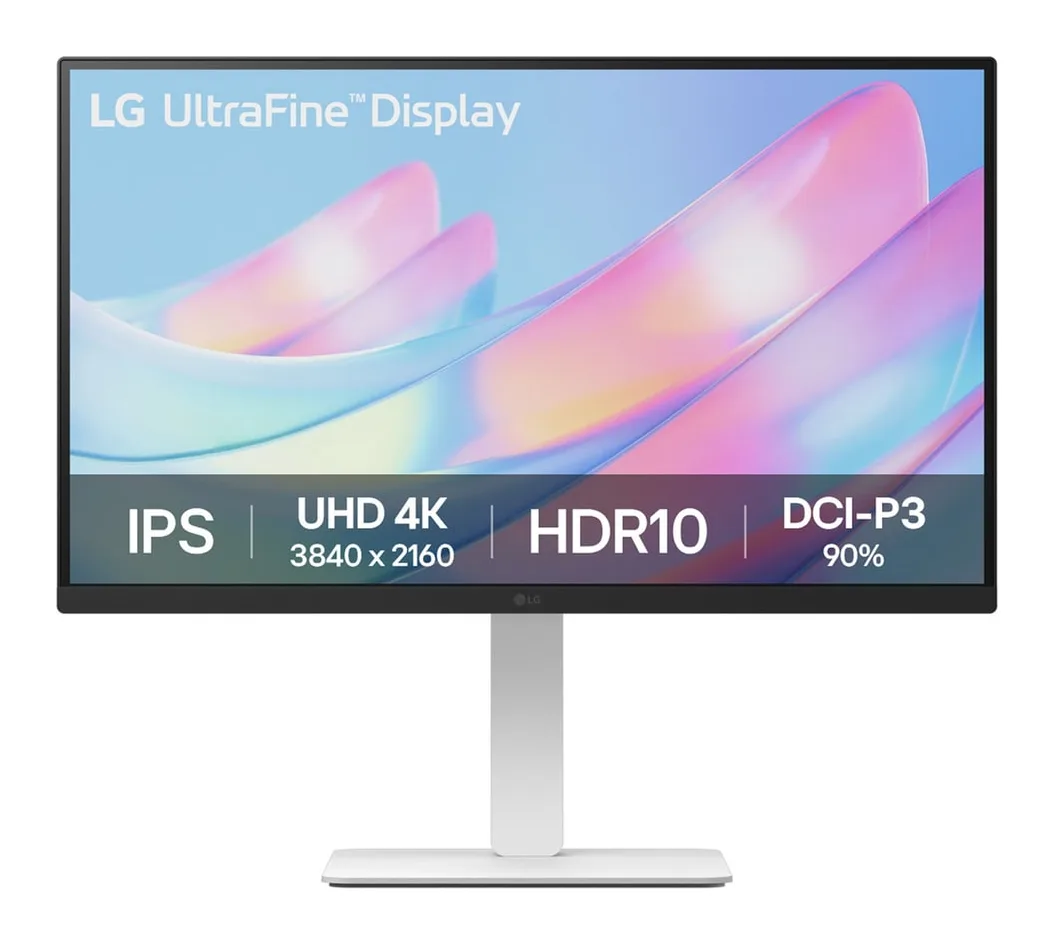
- 5. LG 27US550 — the budget way to get 4K on a Mac
- What about 120Hz, 5K and the Apple Studio Display?
- Our verdict: which monitor should you buy?
- Frequently asked questions
Plug a MacBook into the wrong monitor and you'll notice in minutes: fuzzy text, a cable mess, a laptop that slowly drains while “charging”. Plug it into the right one and your Mac suddenly feels like a desktop. We looked at what's actually in stock in India right now and narrowed it to five 27-inch 4K monitors that work properly with macOS.
Quick picks
Find your monitor in 20 seconds
Answer three quick questions.
How we chose (and what most guides miss)
Mac users care about different things from Windows gamers. We judged every monitor on five Mac-specific points:
- Text sharpness at macOS scaling. We only considered 4K panels at 27 inches. Lower resolutions (1440p) look visibly soft next to a Retina MacBook screen.
- One-cable docking. A single USB-C cable that carries picture, USB data and charging is the biggest quality-of-life upgrade for a MacBook desk. We note the wattage because it matters.
- Colour that matches your MacBook. MacBooks use the wide P3 colour space. A monitor that only covers sRGB looks slightly duller side by side — fine for office work, important for creators.
- Ergonomics. Height adjustment is non-negotiable at a desk you use for hours.
- Availability and after-sales in India. Every pick here comes with a three-year brand warranty and was listed on Amazon.in when we checked.
The comparison table
Here's how the five stack up on the specs that matter. Scroll sideways on mobile.
| Spec | Dell S2725QC | BenQ MA270U | 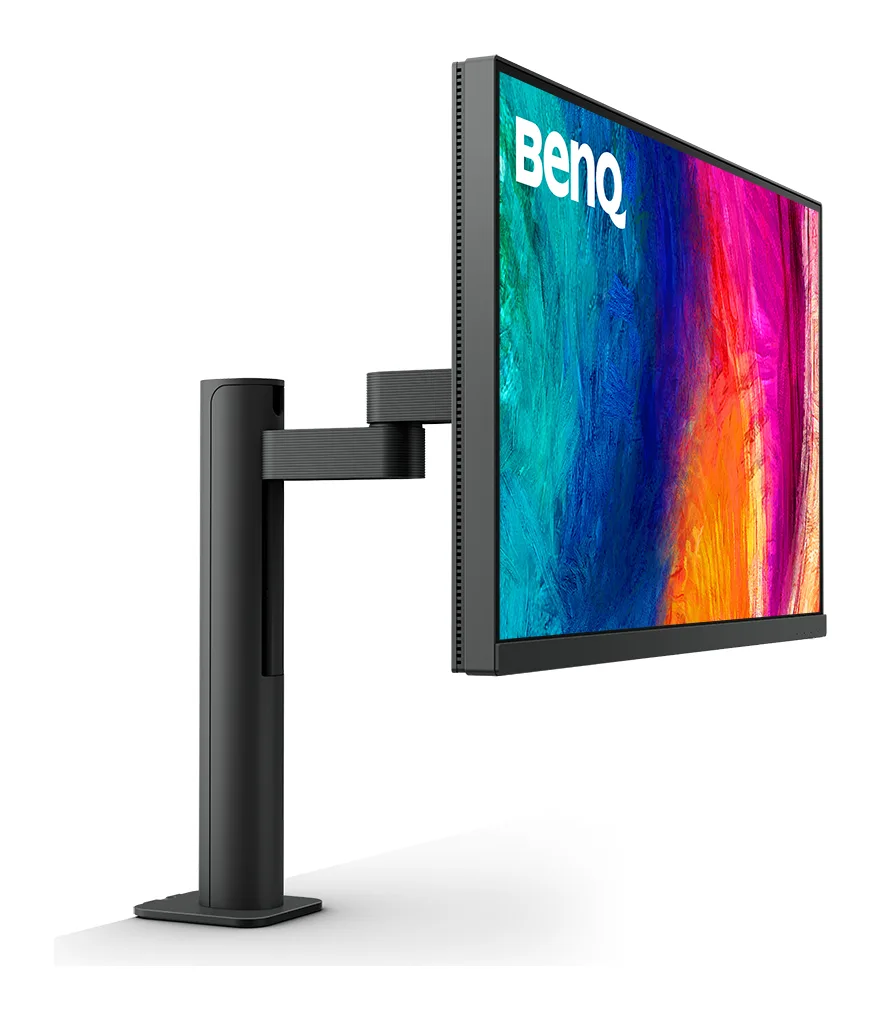 BenQ PD2705UA BenQ PD2705UA | BenQ PD2706U | LG 27US550 |
|---|---|---|---|---|---|
| Our score | 8.8/10 | 9.0/10 | 8.4/10 | 8.6/10 | 7.6/10 |
| Typical price | ₹30,000 – ₹34,000 | ₹44,000 – ₹48,000 | Stock varies — check listing | ₹41,000 – ₹45,000 | ₹20,000 – ₹23,000 |
| Panel | 27" IPS, matte | 27" IPS, matte | 27" IPS, matte | 27" IPS | 27" IPS, anti-glare |
| Resolution | 3840 × 2160 (4K UHD) | 3840 × 2160 (4K UHD) | 3840 × 2160 (4K UHD) | 3840 × 2160 (4K UHD) | 3840 × 2160 (4K UHD) |
| Refresh rate | 120Hz, AMD FreeSync Premium | 60Hz | 60Hz | 60Hz | 60Hz |
| Brightness (claimed) | 350 nits | 400 nits | 350 nits | 350 nits | ~240–250 nits |
| Colour (claimed) | 99% sRGB | 99% sRGB, 95% DCI-P3 | 99% sRGB, 99% Rec.709, Delta E ≤ 3 | 100% sRGB / Rec.709, 95% P3 | 90% DCI-P3 |
| USB-C charging | Up to 65W | Up to 90W (+15W downstream) | Up to 65W | Up to 90W | None |
| Ports | USB-C upstream, 2× HDMI, USB hub | 2× USB-C, 2× HDMI 2.0, 2× USB-A | USB-C, HDMI, DisplayPort, USB hub | USB-C, HDMI, DisplayPort, USB hub | 2× HDMI, DisplayPort |
| Speakers | 2 × 5W | 2 × 3W | — | Yes | — |
| Stand | Height, tilt, swivel, pivot | Height (115mm), tilt, swivel, pivot | ErgoArm (clamp arm) included | Height, tilt, swivel, pivot | Height, tilt, swivel, pivot |
| VESA | 100 × 100 | 100 × 100 | Arm included | 100 × 100 | Check listing |
| Warranty | 3 years (Dell) | 3 years (BenQ) | 3 years (BenQ) | 3 years (BenQ) | 3 years (LG) |
| Where to buy | Amazon.in | Amazon.in | Amazon.in | Amazon.in | Amazon.in |
Specs as claimed by manufacturers. Highlighted = best in that row. Prices checked 7 October 2026; they change often.
1. Dell S2725QC — the best monitor for most Mac users
#1 · Dell 27 Plus 4K USB-C Monitor (S2725QC)
4K at 120Hz, a single USB-C cable for your MacBook and a fully adjustable stand — the easiest monitor to recommend right now.
What we like
- Rare 4K + 120Hz combo at this price — scrolling feels close to ProMotion
- One USB-C cable carries video, data and up to 65W charging
- Height, tilt, swivel and pivot stand in the box
- Dual 5W speakers and a 3-year Dell warranty
Keep in mind
- 65W charging is not enough for a 14/16-inch MacBook Pro under heavy load
- sRGB-focused — no wide P3 colour coverage claimed
- 350 nits is fine indoors, not HDR-bright
Full specifications
| Panel | 27" IPS, matte |
|---|---|
| Resolution | 3840 × 2160 (4K UHD) |
| Refresh rate | 120Hz, AMD FreeSync Premium |
| Brightness (claimed) | 350 nits |
| Colour (claimed) | 99% sRGB |
| USB-C charging | Up to 65W |
| Ports | USB-C upstream, 2× HDMI, USB hub |
| Speakers | 2 × 5W |
| Stand | Height, tilt, swivel, pivot |
| VESA | 100 × 100 |
| Warranty | 3 years (Dell) |
The Dell is the one we've ordered for our own desk, and the reasoning is simple: it's the only 4K monitor at this price that also runs at 120Hz. If you use a recent MacBook Pro, you already know how smooth ProMotion scrolling feels. Going back to 60Hz on a big screen feels sluggish. The S2725QC closes most of that gap.
It also covers the practical basics well. One USB-C cable (included) handles picture, the USB hub and up to 65W of charging. The stand adjusts for height, tilt, swivel and pivot. There are two 5W speakers, which are fine for calls and YouTube. Dell backs it with a three-year warranty.
The trade-offs: Dell quotes 99% sRGB but doesn't claim wide P3 coverage, so photos won't have quite the punch of your MacBook's own screen. And 65W will keep a MacBook Air topped up easily, but a 14- or 16-inch MacBook Pro running a heavy export can draw more than that.
2. BenQ MA270U — the most Mac-friendly monitor you can buy here
#2 · BenQ MA270U 27" 4K Monitor for Mac
Designed specifically for MacBooks: Mac-tuned colour, brightness and volume control from your Mac keyboard, and 90W charging.
What we like
- Mac colour tuning so the screen matches your MacBook display
- Control brightness and volume from the Mac keyboard
- 90W USB-C — enough for most MacBook Pro workloads
- 95% DCI-P3 and 400 nits (claimed)
Keep in mind
- 60Hz only
- Costs noticeably more than the Dell
- Speakers are 3W — fine for calls, not music
Full specifications
| Panel | 27" IPS, matte |
|---|---|
| Resolution | 3840 × 2160 (4K UHD) |
| Refresh rate | 60Hz |
| Brightness (claimed) | 400 nits |
| Colour (claimed) | 99% sRGB, 95% DCI-P3 |
| USB-C charging | Up to 90W (+15W downstream) |
| Ports | 2× USB-C, 2× HDMI 2.0, 2× USB-A |
| Speakers | 2 × 3W |
| Stand | Height (115mm), tilt, swivel, pivot |
| VESA | 100 × 100 |
| Warranty | 3 years (BenQ) |
BenQ built the MA series specifically for MacBooks, and it shows in the details. Colours are tuned to match a MacBook display, so a photo looks the same on both screens. Brightness and volume can be controlled from the Mac keyboard, like on an Apple display. It claims 95% DCI-P3 and 400 nits, which is a step up from the Dell for photos, HDR video and design work.
The other big win is 90W USB-C charging. That's enough to keep most MacBook Pro models charged through demanding work. There's a second USB-C port that can charge your phone (15W).
The trade-offs: it's 60Hz, so scrolling isn't as smooth as on the Dell. It also costs about ₹12,000–₹15,000 more. If you mostly write, code or browse, the Dell is better value. If you edit photos or video, or want the most Apple-like experience without paying for a Studio Display, this is the one.
3. BenQ PD2705UA — the designer's monitor with a built-in arm
#3 · BenQ PD2705UA 27" 4K IPS ErgoArm Designer Monitor
A colour-accurate designer monitor with a built-in monitor arm, KVM switch and a hotkey puck — built for people who edit, not just browse.
Was showing as currently unavailable on Amazon.in when we checked. Its newer sibling, the PD2706UA/PD2706U, is the in-stock alternative.
What we like
- Factory-calibrated colour: 99% sRGB / Rec.709, Pantone & Calman validated (per BenQ)
- ErgoArm clamp-style arm included — frees up desk space
- KVM switch: one keyboard and mouse for two computers
- Hotkey Puck G2 for fast mode switching
Keep in mind
- 60Hz only — scrolling isn't as smooth as the Dell's 120Hz
- USB-C charging is 65W
- Availability on Amazon.in fluctuates
Full specifications
| Panel | 27" IPS, matte |
|---|---|
| Resolution | 3840 × 2160 (4K UHD) |
| Refresh rate | 60Hz |
| Brightness (claimed) | 350 nits |
| Colour (claimed) | 99% sRGB, 99% Rec.709, Delta E ≤ 3 |
| USB-C charging | Up to 65W |
| Ports | USB-C, HDMI, DisplayPort, USB hub |
| Speakers | — |
| Stand | ErgoArm (clamp arm) included |
| VESA | Arm included |
| Warranty | 3 years (BenQ) |
The PD2705UA is the monitor you buy when colour has to be right, not just pretty. BenQ factory-calibrates it to Delta E ≤ 3 across sRGB and Rec.709, and it's Pantone and Calman validated. It also includes BenQ's M-Book mode, which is designed to match MacBook colours. The “A” in the name stands for the included ErgoArm, a clamp-on arm that floats the screen off the desk. It also has a KVM switch (one keyboard and mouse for two computers) and BenQ's Hotkey Puck for switching colour modes.
The catch: it was showing as currently unavailable on Amazon.in when we checked. Stock comes and goes. If you can find it at a fair price, it's still a great buy for designers who need a KVM. If not, the PD2706U below is the in-stock successor. If you want the arm too, look for the PD2706UA, which is listed separately.
See our head-to-head: Dell S2725QC vs BenQ PD2705UA.
4. BenQ PD2706U — the creator pick that's actually in stock
#4 · BenQ Creative Pro PD2706U 27" 4K Monitor
The in-stock successor to the PD2705UA: designer-grade colour, 95% P3 and 90W USB-C on a regular stand.
What we like
- 95% P3 and 100% Rec.709 / sRGB (claimed)
- 90W USB-C power delivery
- KVM and USB hub
- Calibration report in the box
Keep in mind
- 60Hz
- Regular stand (the 'UA' version adds the arm, at a higher price)
Full specifications
| Panel | 27" IPS |
|---|---|
| Resolution | 3840 × 2160 (4K UHD) |
| Refresh rate | 60Hz |
| Brightness (claimed) | 350 nits |
| Colour (claimed) | 100% sRGB / Rec.709, 95% P3 |
| USB-C charging | Up to 90W |
| Ports | USB-C, HDMI, DisplayPort, USB hub |
| Speakers | Yes |
| Stand | Height, tilt, swivel, pivot |
| VESA | 100 × 100 |
| Warranty | 3 years (BenQ) |
Think of the PD2706U as the updated PD2705U. It claims 95% P3 alongside 100% sRGB/Rec.709, raises USB-C charging to 90W, keeps the KVM and ships with a calibration report. It sits on a regular stand. That makes it the best choice if you run a Mac mini or Mac Studio and a work laptop on one desk, and want colour you can trust.
5. LG 27US550 — the budget way to get 4K on a Mac
#5 · LG 27US550 27" UltraFine 4K IPS Monitor
The cheapest sensible way to get sharp 4K text on a Mac — as long as you don't mind using a cable adapter.
What we like
- 4K IPS sharpness at a budget price
- 90% DCI-P3 (claimed) — good colour for the money
- Fully adjustable stand (height, tilt, swivel, pivot)
- 3-year LG warranty
Keep in mind
- No USB-C on this listing — needs a USB-C-to-HDMI or USB-C-to-DisplayPort cable, and won't charge your Mac
- Lower brightness than the others
- 60Hz
Full specifications
| Panel | 27" IPS, anti-glare |
|---|---|
| Resolution | 3840 × 2160 (4K UHD) |
| Refresh rate | 60Hz |
| Brightness (claimed) | ~240–250 nits |
| Colour (claimed) | 90% DCI-P3 |
| USB-C charging | None |
| Ports | 2× HDMI, DisplayPort |
| Speakers | — |
| Stand | Height, tilt, swivel, pivot |
| VESA | Check listing |
| Warranty | 3 years (LG) |
If your budget stops around ₹21,000–₹23,000, this LG gives you the most important upgrade, 4K text sharpness, plus 90% DCI-P3 (claimed) and a stand that adjusts properly. It's a sensible choice for students, coders and writers.
Know before you buy: the listing we've linked has HDMI and DisplayPort but no USB-C. You'll need a USB-C-to-DisplayPort (or HDMI 2.0) cable, and the monitor won't charge your MacBook. Brightness is lower than the others, which is fine in a normal room but weak next to a sunny window.
What about 120Hz, 5K and the Apple Studio Display?
Do you need 120Hz on a Mac?
You don't need it, but you'll notice it. Scrolling long documents, moving windows and Mission Control all look smoother. If you came from a 120Hz MacBook Pro, 60Hz on a big screen can feel jarring for the first week. That's why the Dell is our default pick.
Is 5K worth it?
5K at 27 inches matches Apple's Retina sharpness exactly, with no scaling compromise. It's lovely, but in India it typically costs two to four times as much as the monitors above. For most people, a good 4K monitor plus the money saved (for example, on a monitor arm) is the smarter desk.
Our verdict: which monitor should you buy?
- Most MacBook Air and Pro users: Dell S2725QC. It has 120Hz, one-cable charging and the best value here.
- MacBook Pro power users, photographers and video editors: BenQ MA270U, for 90W charging and Mac-matched P3 colour.
- Designers running two computers: BenQ PD2706U, or the PD2705UA if you find it in stock.
- Students and tight budgets: LG 27US550. Budget for a USB-C-to-DisplayPort cable too.
Pairing any of these with a MacBook? See our complete MacBook desk setup guide.
Frequently asked questions
Is a 4K monitor good enough for a Mac, or do I need 5K?
4K at 27 inches is sharp enough for most people. Apple's own displays use about 218 pixels per inch; a 27-inch 4K panel is about 163, so text is slightly less crisp at the popular “looks like 2560 × 1440” setting. Most users stop noticing within a day. 5K monitors cost two to four times more in India.
Will the Dell S2725QC run at 120Hz on my MacBook?
Most recent Apple silicon Macs can run it at 120Hz using the included USB-C cable. Older Intel Macs, some adapters and some docks may limit it to 60Hz. Check System Settings → Displays → Refresh Rate after connecting.
Can one USB-C cable charge my MacBook and show video?
Yes, with the Dell (up to 65W), the BenQ PD2705UA (65W) and the BenQ MA270U or PD2706U (90W). A MacBook Air is fine on any of them. A 14- or 16-inch MacBook Pro under heavy load is better on 90W. The LG 27US550 listed here has no USB-C, so you'd keep using your charger.
Can a base MacBook Air run two external monitors?
It depends on the chip. M1 and M2 MacBook Air models officially support one external display. Newer Air models support two with conditions — check Apple's tech specs page for your exact model before buying two monitors.
Is the BenQ PD2705UA still worth buying?
It's an excellent designer monitor, but it was showing as unavailable on Amazon.in when we checked. If you can't find it at a fair price, the PD2706U/PD2706UA is the current version with a wider P3 gamut and 90W charging.