Nezler
 In this article
These two monitors land on the same shortlist for the same reason: both are 27-inch 4K IPS panels with single-cable USB-C docking for a MacBook. But they're built for very different people. Pick the wrong one and you'll either overpay for calibration you'll never use, or get a smooth screen that can't be trusted for colour work.
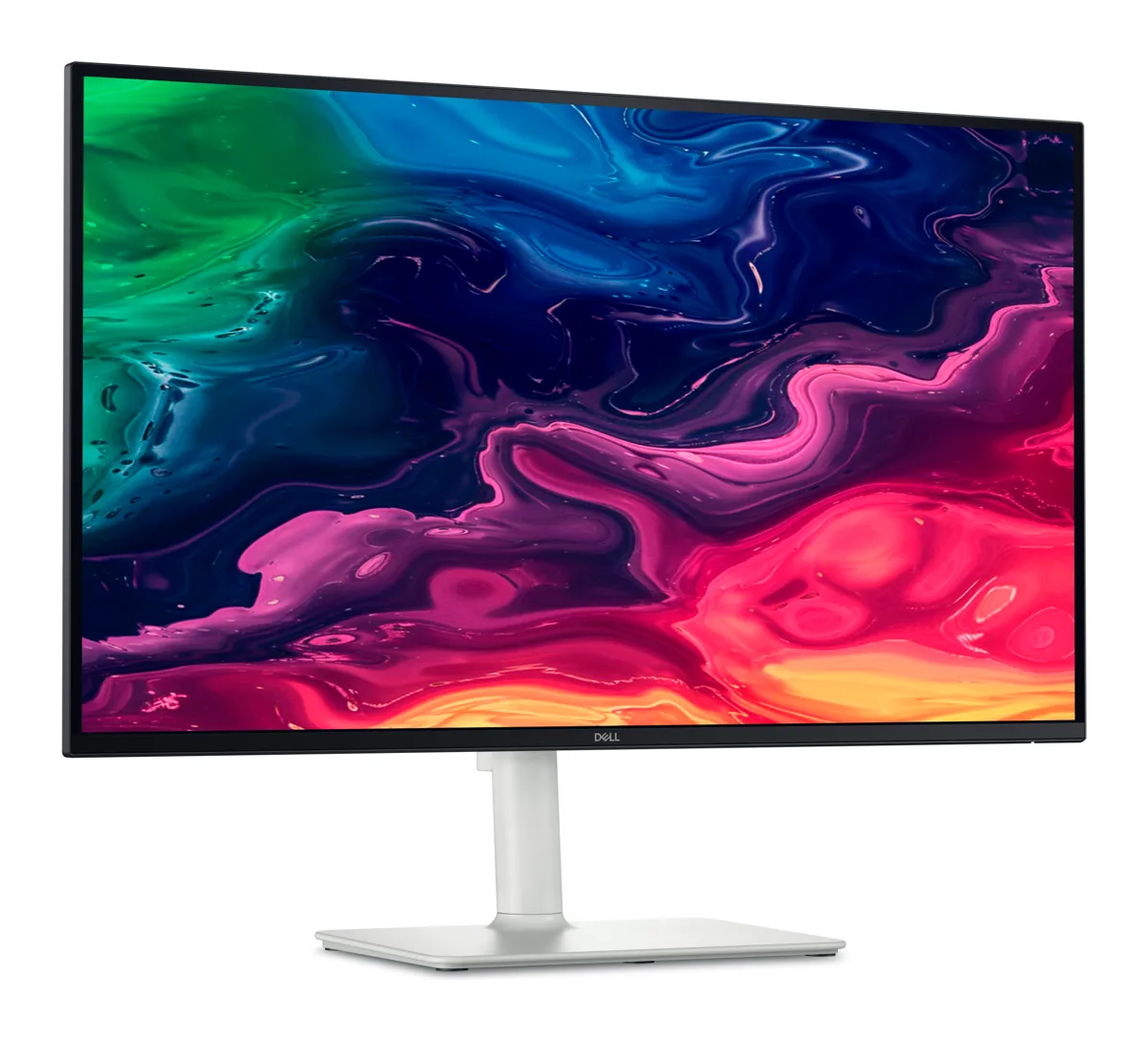
Our pick: Dell S2725QC
4K at 120Hz, a single USB-C cable for your MacBook and a fully adjustable stand — the easiest monitor to recommend right now.
What we like
- Rare 4K + 120Hz combo at this price — scrolling feels close to ProMotion
- One USB-C cable carries video, data and up to 65W charging
- Height, tilt, swivel and pivot stand in the box
- Dual 5W speakers and a 3-year Dell warranty
Keep in mind
- 65W charging is not enough for a 14/16-inch MacBook Pro under heavy load
- sRGB-focused — no wide P3 colour coverage claimed
- 350 nits is fine indoors, not HDR-bright
Spec sheet, side by side
| Spec | Dell S2725QC | 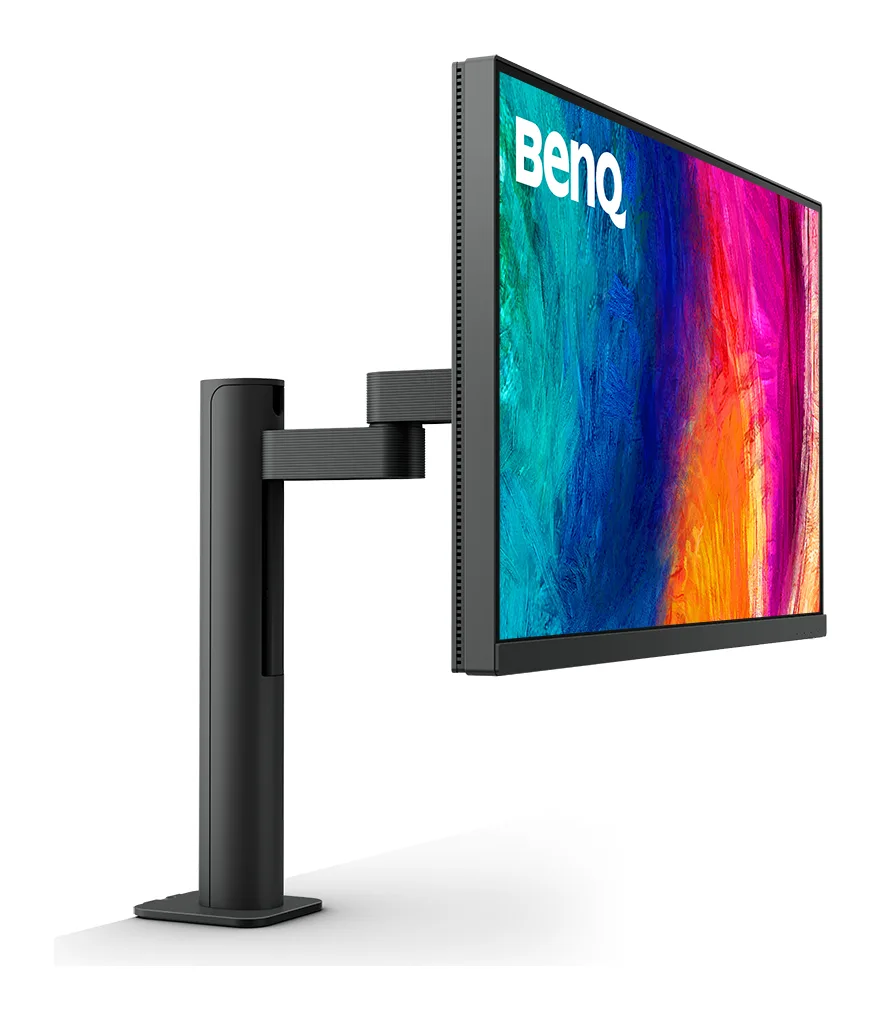 BenQ PD2705UA BenQ PD2705UA | 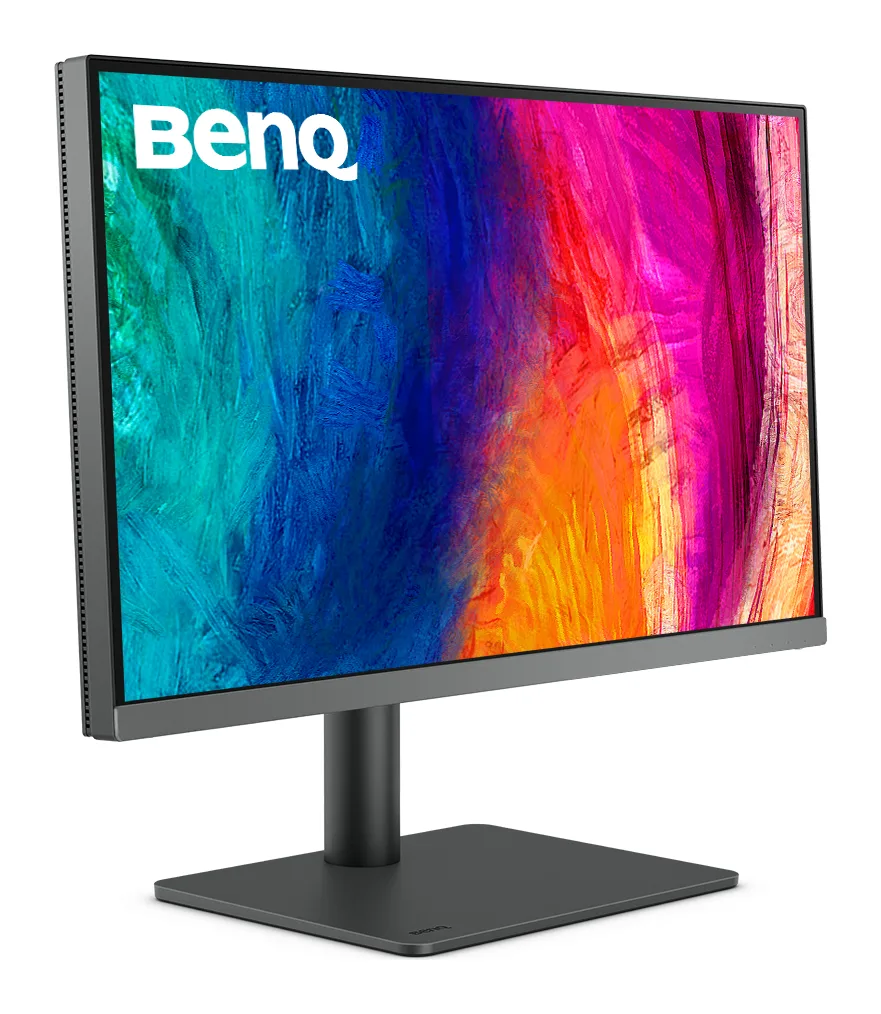 BenQ PD2706U BenQ PD2706U |
|---|---|---|---|
| Our score | 8.8/10 | 8.4/10 | 8.6/10 |
| Typical price | ₹30,000 – ₹34,000 | Stock varies — check listing | ₹41,000 – ₹45,000 |
| Panel | 27" IPS, matte | 27" IPS, matte | 27" IPS |
| Resolution | 3840 × 2160 (4K UHD) | 3840 × 2160 (4K UHD) | 3840 × 2160 (4K UHD) |
| Refresh rate | 120Hz, AMD FreeSync Premium | 60Hz | 60Hz |
| Brightness (claimed) | 350 nits | 350 nits | 350 nits |
| Colour (claimed) | 99% sRGB | 99% sRGB, 99% Rec.709, Delta E ≤ 3 | 100% sRGB / Rec.709, 95% P3 |
| USB-C charging | Up to 65W | Up to 65W | Up to 90W |
| Ports | USB-C upstream, 2× HDMI, USB hub | USB-C, HDMI, DisplayPort, USB hub | USB-C, HDMI, DisplayPort, USB hub |
| Speakers | 2 × 5W | — | Yes |
| Stand | Height, tilt, swivel, pivot | ErgoArm (clamp arm) included | Height, tilt, swivel, pivot |
| VESA | 100 × 100 | Arm included | 100 × 100 |
| Warranty | 3 years (Dell) | 3 years (BenQ) | 3 years (BenQ) |
| Where to buy | Amazon.in | Amazon.in | Amazon.in |
Specs as claimed by manufacturers. Highlighted = best in that row. Prices checked 7 October 2026; they change often.
We've added the BenQ PD2706U as a third column because the PD2705UA was showing as unavailable on Amazon.in when we checked. The PD2706U is its in-stock successor.
Smoothness: Dell wins clearly
The S2725QC runs at 120Hz, while the BenQ runs at 60Hz. On a Mac, that means smoother scrolling in Safari, Notes and Xcode, smoother window dragging and smoother Mission Control. It's the single biggest difference you'll feel between these two, and it's why the Dell suits mixed work and light gaming better.
Colour accuracy: BenQ wins clearly
The PD2705UA is a designer monitor first. BenQ calibrates every unit to Delta E ≤ 3 across sRGB and Rec.709, and has it validated by Pantone (including skin tones) and Calman. It adds colour modes for CAD, animation and dark-room work, plus BenQ's M-Book mode, which is designed to match MacBook colours. The Dell claims 99% sRGB, which looks good, but it isn't sold as a calibrated tool.
Desk and ergonomics: different approaches
The Dell's stand adjusts for height, tilt, swivel and pivot, which covers everything most people need. The BenQ's ErgoArm clamps to the desk and floats the screen, freeing the space under it. If you prefer the Dell but like the floating look, a separate arm such as the Gadget Wagon monitor + laptop arm costs under ₹3,000 and also holds your MacBook. Check VESA compatibility first.
Connectivity and extras
- USB-C charging: both up to 65W. This is enough for a MacBook Air, but marginal for a 14/16-inch MacBook Pro under load.
- KVM switch: BenQ only. Useful if you run a Mac and a work PC on one desk with one keyboard and mouse.
- Speakers: the Dell has 2 × 5W. The BenQ doesn't list speakers, so plan for headphones or desk speakers.
- Hotkey Puck: BenQ only. It's a physical dial for switching colour modes quickly.
Price and availability
The Dell typically sells for about ₹30,000–₹34,000 and is widely in stock. The PD2705UA's stock fluctuates. When it's unavailable, the PD2706U costs roughly ₹41,000–₹45,000, and the arm version (PD2706UA) costs more. On value alone, the Dell is hard to beat.
Final verdict
- Buy the Dell S2725QC if you use a MacBook Air or Pro for work, study, coding or content consumption, want 120Hz smoothness and want to spend under ₹35k.
- Buy the BenQ PD2705UA if you're a designer or photographer who needs calibrated colour, runs two computers (KVM) and can find it in stock.
- Buy the BenQ PD2706U if you want the BenQ's colour credentials, wider P3 and 90W charging today.
Want more options, including the Mac-specific BenQ MA270U and a budget LG? Read the full best 4K monitors for Mac guide.
Frequently asked questions
Which is better for a MacBook Air, Dell S2725QC or BenQ PD2705UA?
For most MacBook Air owners, the Dell. Its 120Hz refresh rate and built-in speakers make a bigger everyday difference than the BenQ's tighter colour calibration, and 65W charging is plenty for an Air.
Which is better for photo editing?
The BenQ PD2705UA. It's factory-calibrated (Delta E ≤ 3), Pantone and Calman validated, and has colour modes for design work. The Dell targets sRGB and is fine for web work, but it's not a calibrated tool.
Do both monitors charge a MacBook over USB-C?
Yes, both deliver up to 65W over USB-C. If you need more for a 14- or 16-inch MacBook Pro, the newer BenQ PD2706U offers 90W.
The BenQ PD2705UA shows as unavailable. What should I buy instead?
Look at the BenQ PD2706UA (same idea with an arm) or the PD2706U (regular stand). Both are the newer versions with wider P3 colour and 90W USB-C.